What feels familiar in Hoffle
If you've used Discord, most of Hoffle will feel right at home. Here's a quick map:
| In Discord | In Hoffle |
|---|---|
| Server, category, text & voice channel | Same names: server, category, text channel, voice room |
| Announcement channel, forum, stage | Announcement, forum, and stage channels (Servers) |
| Roles and channel permissions | Same model (Roles & Permissions) |
| AutoMod, audit log, timeout | Same names (Moderation) |
| Direct messages, group DMs, friends | Same (Friends & Direct Messages) |
| Screen share, soundboard | Up to 1080p at 60 fps with audio (Voice Chat) |
| Music bots | Built-in music bot playing straight into the room (Music Bot) |
| Activities | Watch Together, Reels, mini-games, and 3D Living Room |
Hoffle is free, has no ads, and needs no installation: chat.hoffle.online runs in your browser. For a side-by-side breakdown, see Hoffle vs Discord.
Copying a Discord server
You can bring your Discord server's channels, categories, roles, and permissions over to Hoffle in one step—no bot required.
- In Discord: Open Server Settings → Server Template, create a template, and copy its link (
discord.new/…). - In Hoffle: Click + on the server rail and choose Create New.
- Paste the template link into the name box and click Create Server.
Hoffle shows how many categories, channels, and roles were copied. Channels that are private in Discord stay private here. Any channel types Hoffle doesn't have an equivalent for yet are skipped and listed.
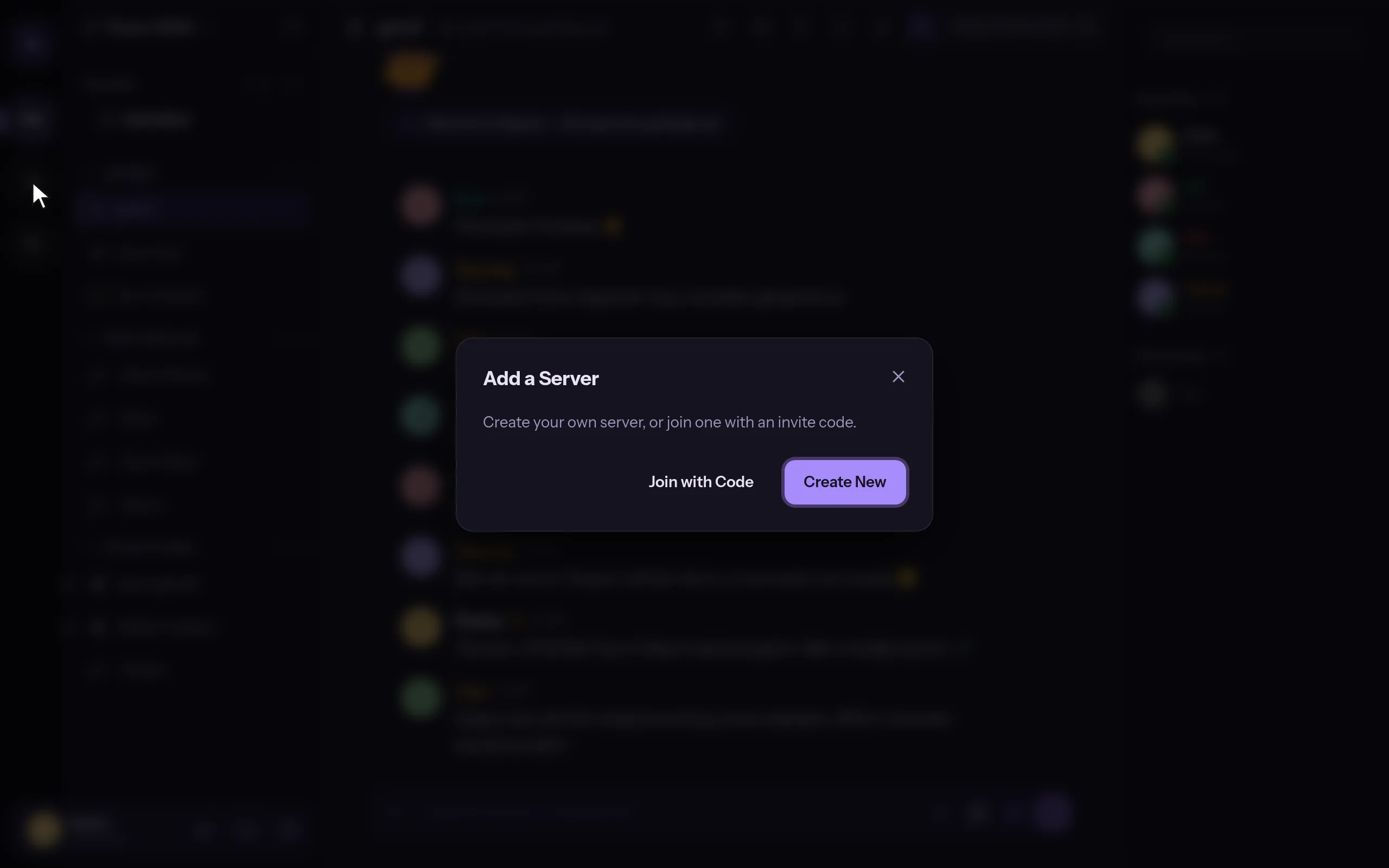
On the final step, Hoffle gives you a ready-made announcement you can paste into Discord along with an invite link good for up to 1,000 people. Click Copy message and paste it in Discord; members who click it and sign up land straight in the new server.
Message history does not transfer with a template—only the server's structure is copied. Your old messages stay on Discord.
Discord bridge: using both sides together
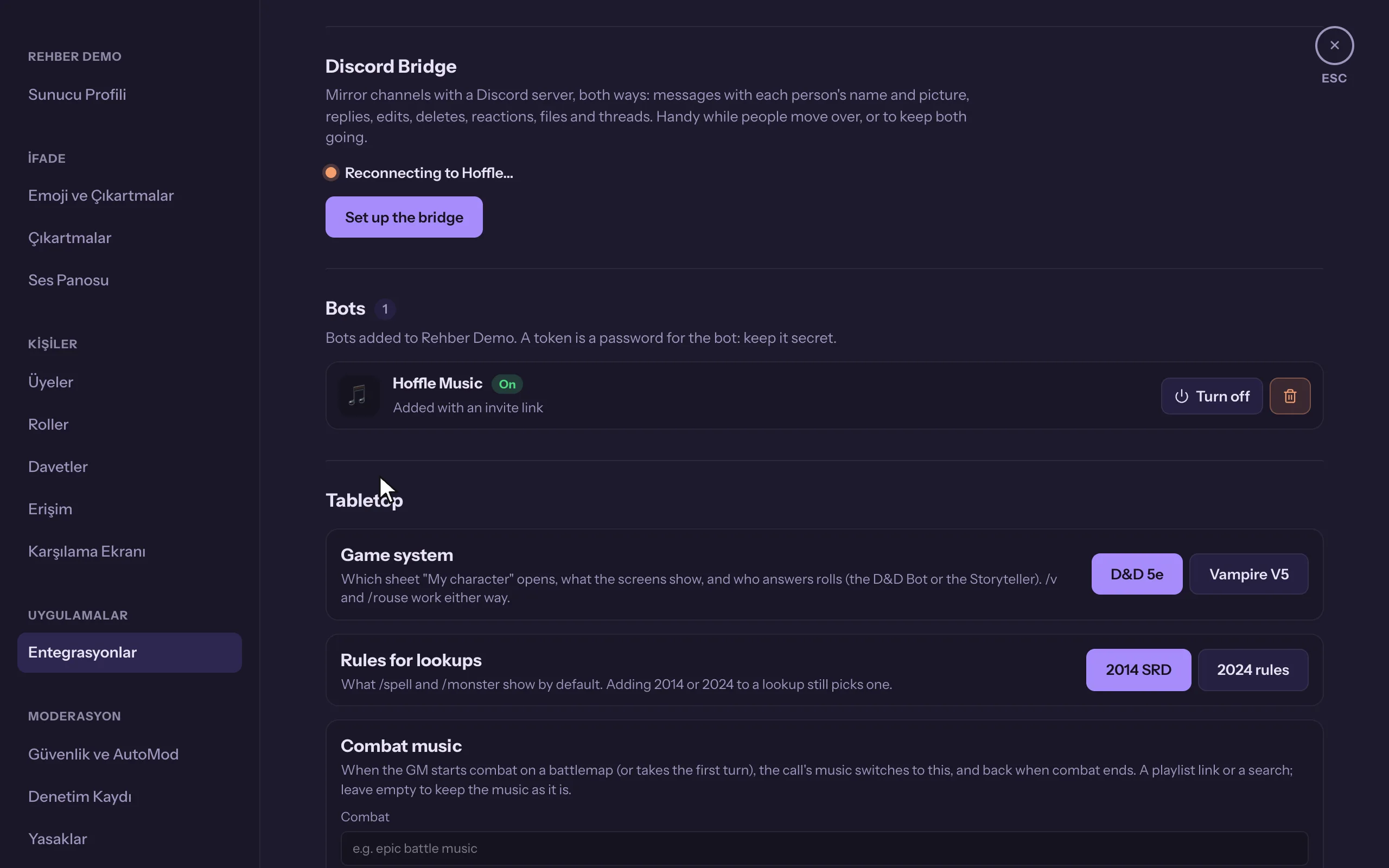
If not everyone is moving at once, the Discord bridge mirrors chosen channels both ways. Messages from Discord appear in Hoffle with the sender's name and avatar, and messages from Hoffle go to Discord. Replies, edits, deletes, reactions, files, and threads carry across too.
- In Server Settings → Integrations, click Set up on the Discord bridge card.
- Add the bridge bot to your Discord server (you'll need Manage Server there).
- Run the command Hoffle shows in any channel on your Discord server:
/hoffle link <code>. - Choose which Discord channel maps to which Hoffle channel. The page updates automatically once Discord responds.
Tips:
- If you bridge a public Discord channel to a private Hoffle channel, everyone on Discord will be able to read that private channel. Hoffle warns you when you link them.
- Deleting the mirrored copy on either side deletes the original too. On Discord, the bridge bot needs Manage Messages for this.
- You can turn the bridge off anytime from the same page.
Running Discord bots on Hoffle
Hoffle implements Discord's bot API (v10). Bots written with discord.js or discord.py work on Hoffle just by pointing them at Hoffle's URL.
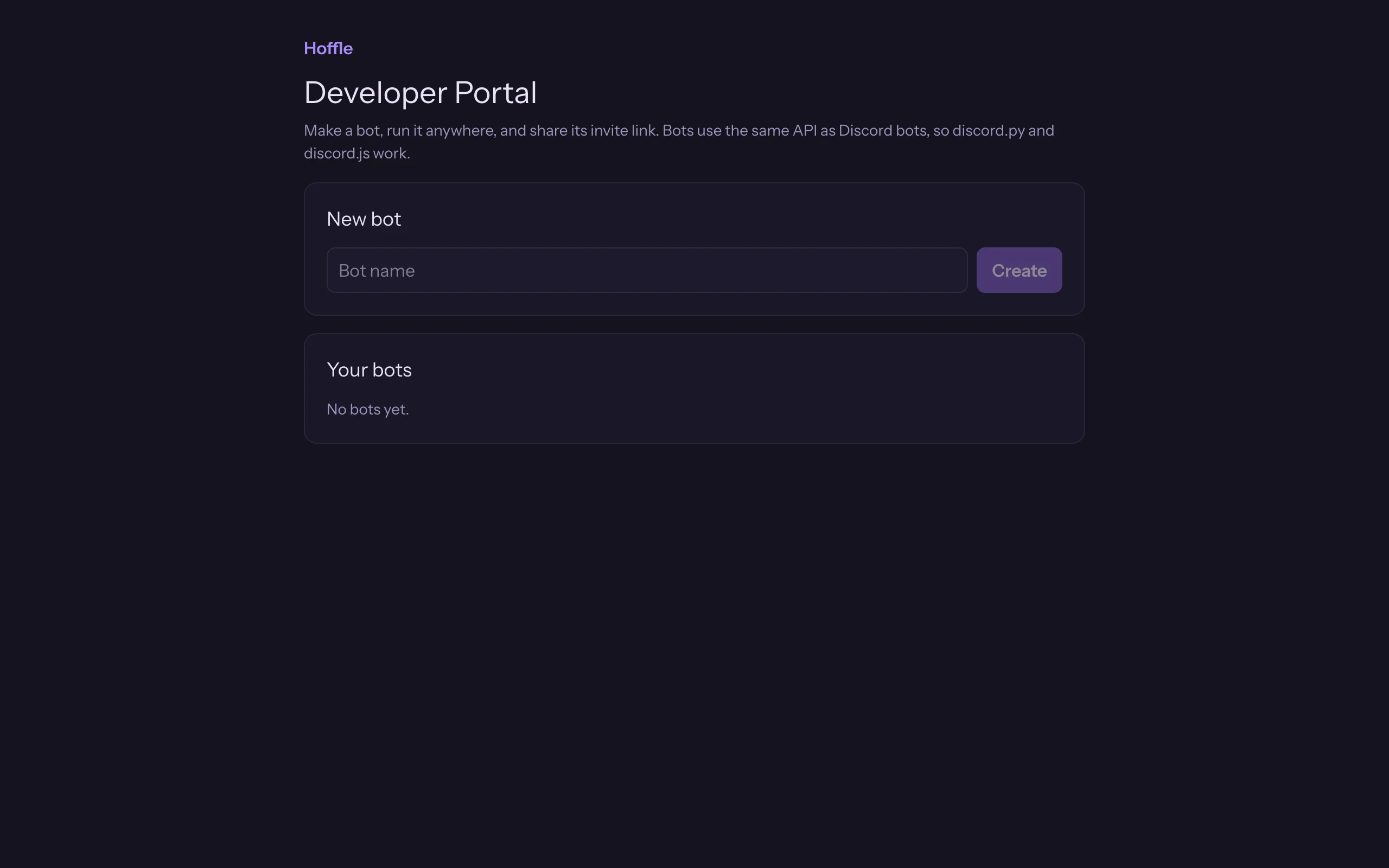
- Open the Developer Portal from Server Settings → Integrations → Your own bot → Open (or at
chat.hoffle.online/hangout/developers). - Enter a name under New bot and click Create. Copy the token—it's shown only once.
- Under Invite link, pick the permissions your bot needs and copy the link to add it to your server.
- Point your bot's code at Hoffle's URL instead of Discord's and use the new token. Example snippets are in the Bots documentation.
What works: messages, slash commands (they appear in Hoffle's / menu), buttons and select menus, embeds, threads, reactions, files, and webhooks.
What doesn't work: Bots that join voice channels (like Discord music bots) don't work on Hoffle—use Hoffle's built-in music bot instead. Modals and autocomplete suggestions aren't supported yet either.