In-chat games
You can play quick games with friends in any text channel or direct message.
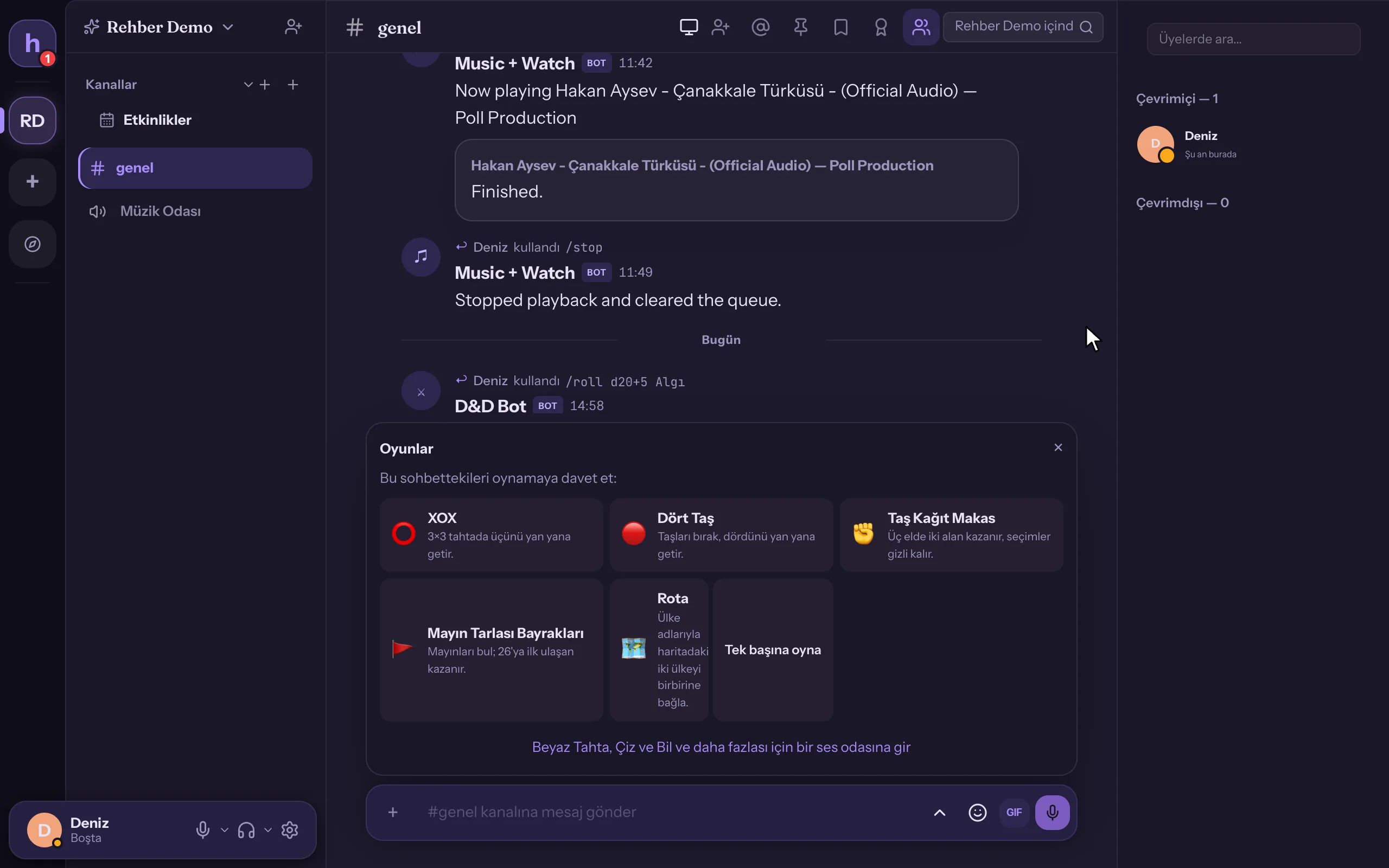
- Click ^ (More options) on the right of the message box and choose Play Game.
- Pick a game in the Games dialog:
- Tic-Tac-Toe (XOX): Get three in a row on a 3×3 board.
- Connect Four: Drop discs and line up four in a row.
- Rock Paper Scissors: Best two out of three; picks stay hidden until both choose.
- Minesweeper Flags: Find the mines; first to 26 wins.
- Rota: Connect two countries by naming the countries in between.
- The game posts as an invite card in chat with an Open seat. When a friend clicks Accept, the game begins; they can click Decline if they don't want to play, or you can click Cancel to withdraw it.
The top of the card shows whose turn it is (Your turn.). You can Forfeit mid-game or click Play again once it's over.
You can also play Rota solo: click Play solo next to Rota in the same dialog.
Rota
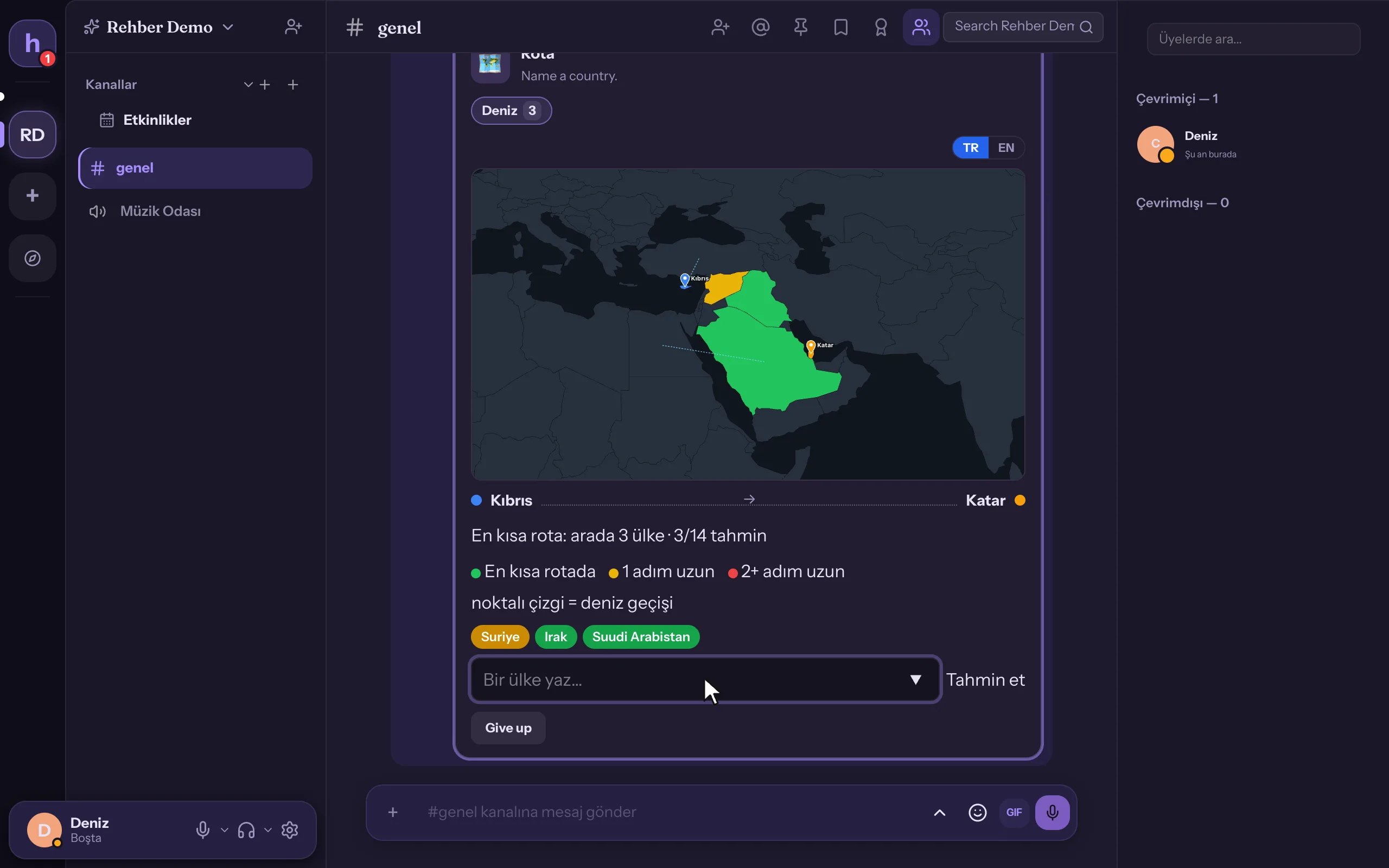
Rota gives you two countries on a map (for example Cyprus and Qatar). Type the names of the countries forming the shortest land route between them and click Guess. Each guess is color-coded:
- Green: On the shortest route.
- Yellow: One step longer.
- Red: Two or more steps longer.
Dashed lines mark sea crossings. You can enter country names in English (EN) or Turkish (TR). Click Give up if you get stuck.
Voice room activities
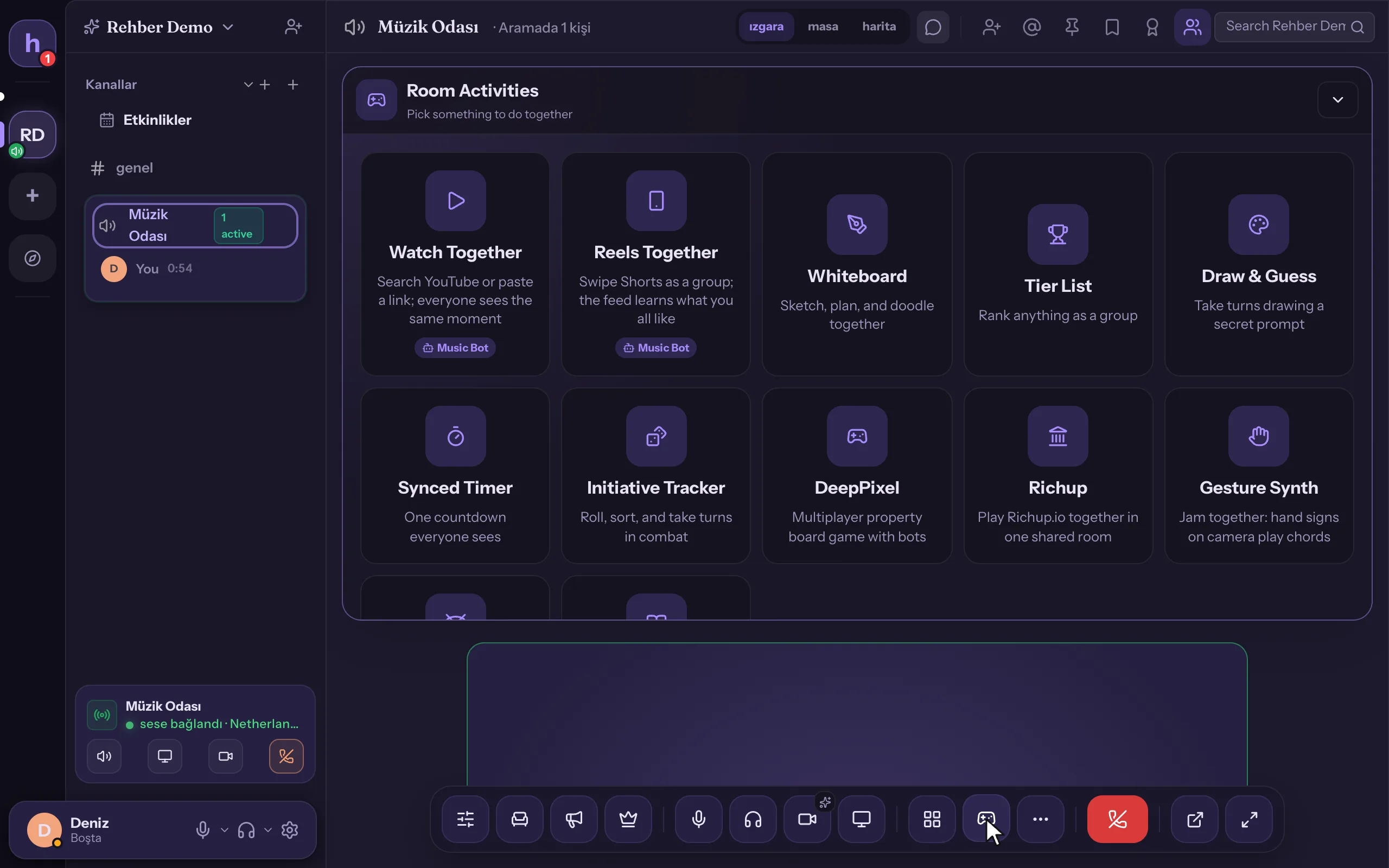
While in a voice room, click the gamepad icon (Activities) in the bottom bar. Everyone in the room shares the same activity together:
| Activity | What it does |
|---|---|
| Watch Together, Reels Together | Watch videos and Shorts in sync (Watch Together). |
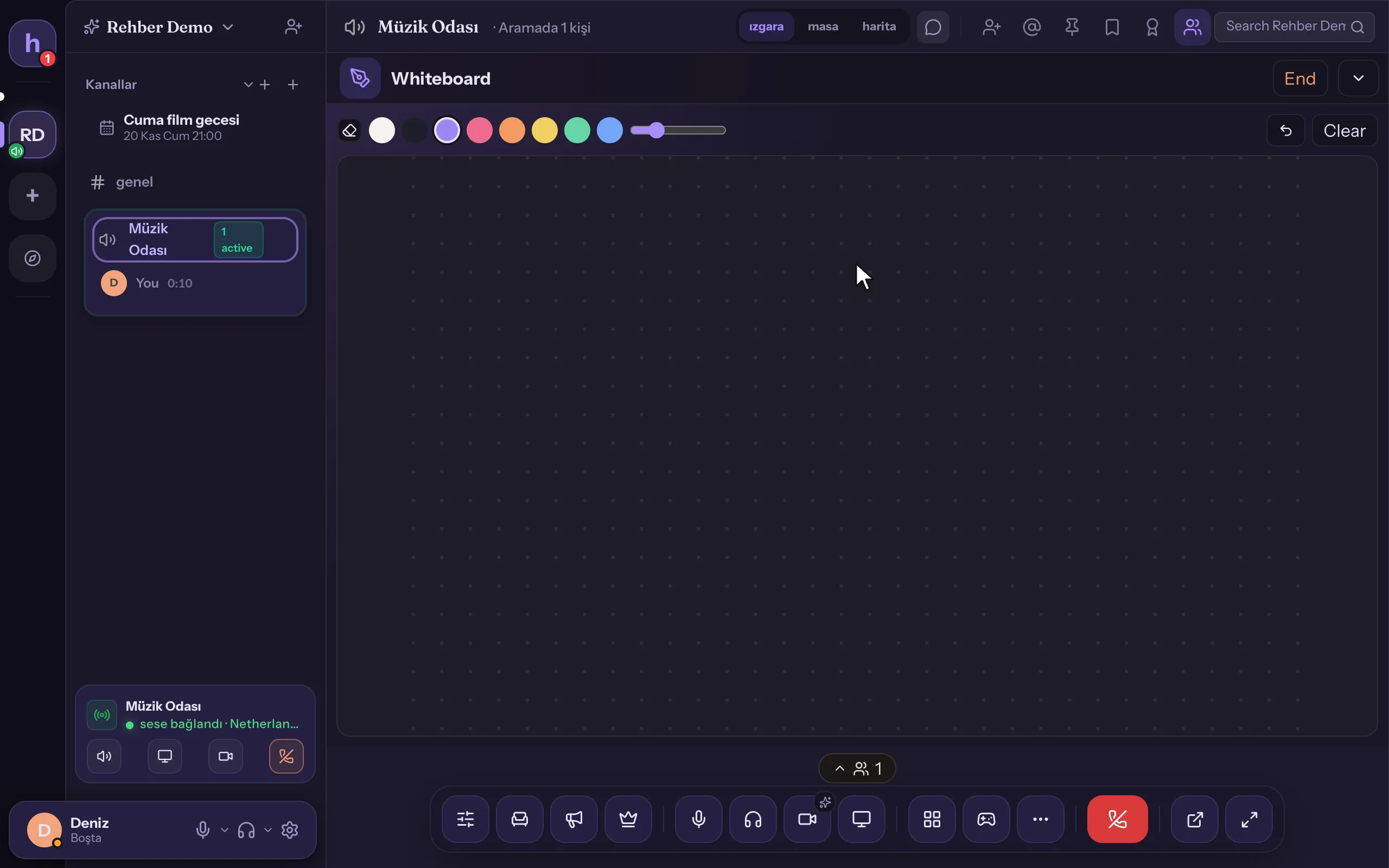
| Whiteboard | Shared whiteboard: pick colors and brush sizes, draw and plan together. Clear wipes the board. |
| Tier List | Rank items together as a group (S, A, B…). |
| Draw & Guess | Take turns drawing a secret word while others guess. |
| Shared Timer | Countdown everyone sees at the same time. |
| Initiative Tracker | Turn order tracker for D&D combat (D&D). |
| DeepPixel | Multiplayer property board game (also works with bots); plays life-sized in the 3D Living Room's board hall. |
| Hand-Gesture Synth | Play chords together by making hand gestures at your camera. |
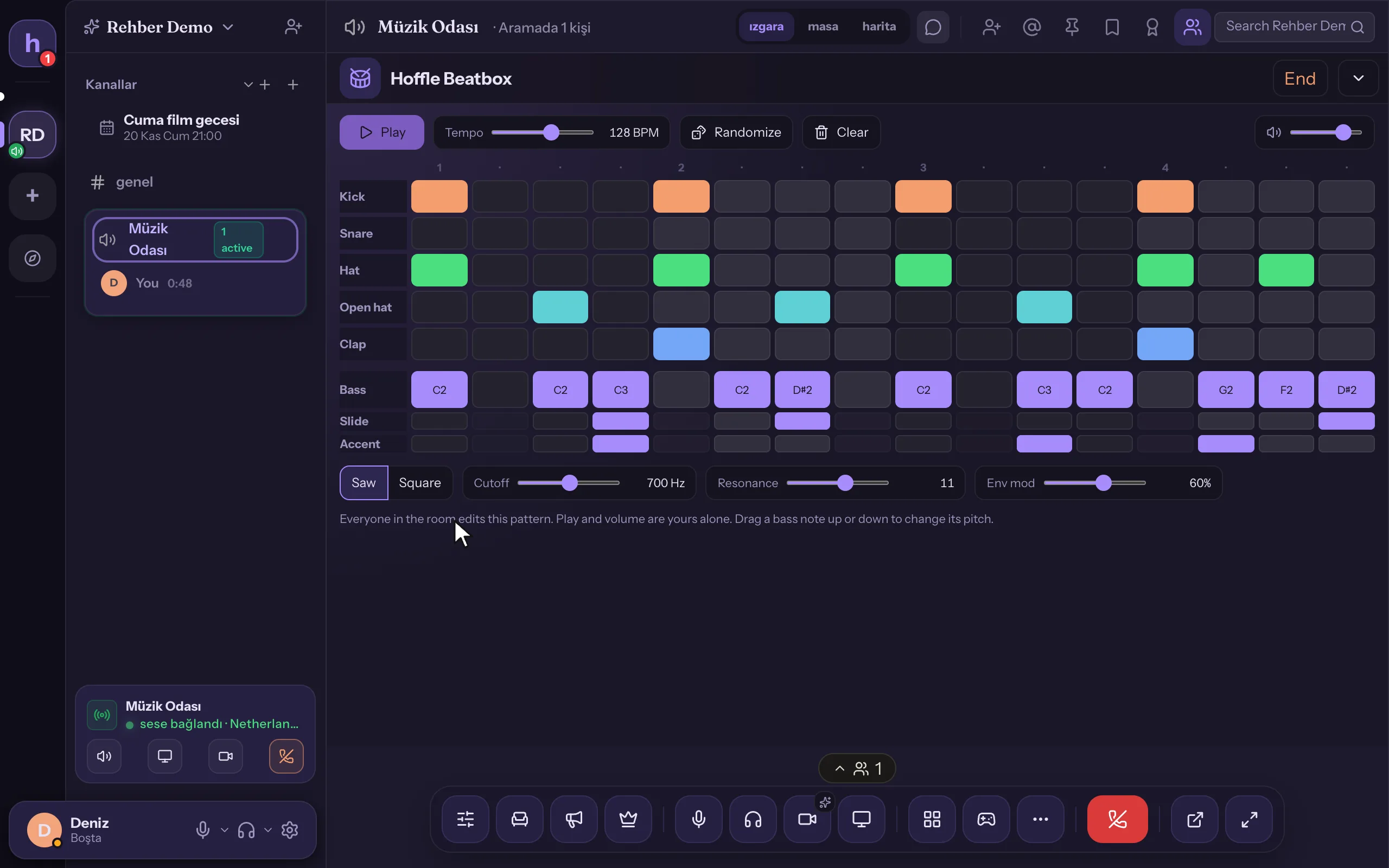
| Hoffle Beatbox | Build beats together (below). |
Click End in the top right to close an activity, or ⌄ to minimize it back to the voice room view.
Hoffle Beatbox
A shared drum machine and bassline sequencer everyone in the room edits together. Rows show drum hits (Kick, Snare, Hat, Open hat, Clap) and the bassline; each square is one step.
- Click a square to toggle a hit on or off. Drag a bass note up or down to change its pitch.
- Tempo sets the speed, Randomize generates a random beat, and Clear resets everything.
- Shape the bass sound with Saw/Square, Cutoff, Resonance, and Env mod.
- The pattern is shared with everyone, while Play and volume are local—each person listens whenever they want.
Events
Create an event to schedule a hangout, movie night, or D&D session so members can RSVP.
- Click Events at the top of the channel list.
- Click New event.
- Give the event a name and pick a start time (and optional end time).
- Optionally link a voice channel and add details.
- Click Create event.
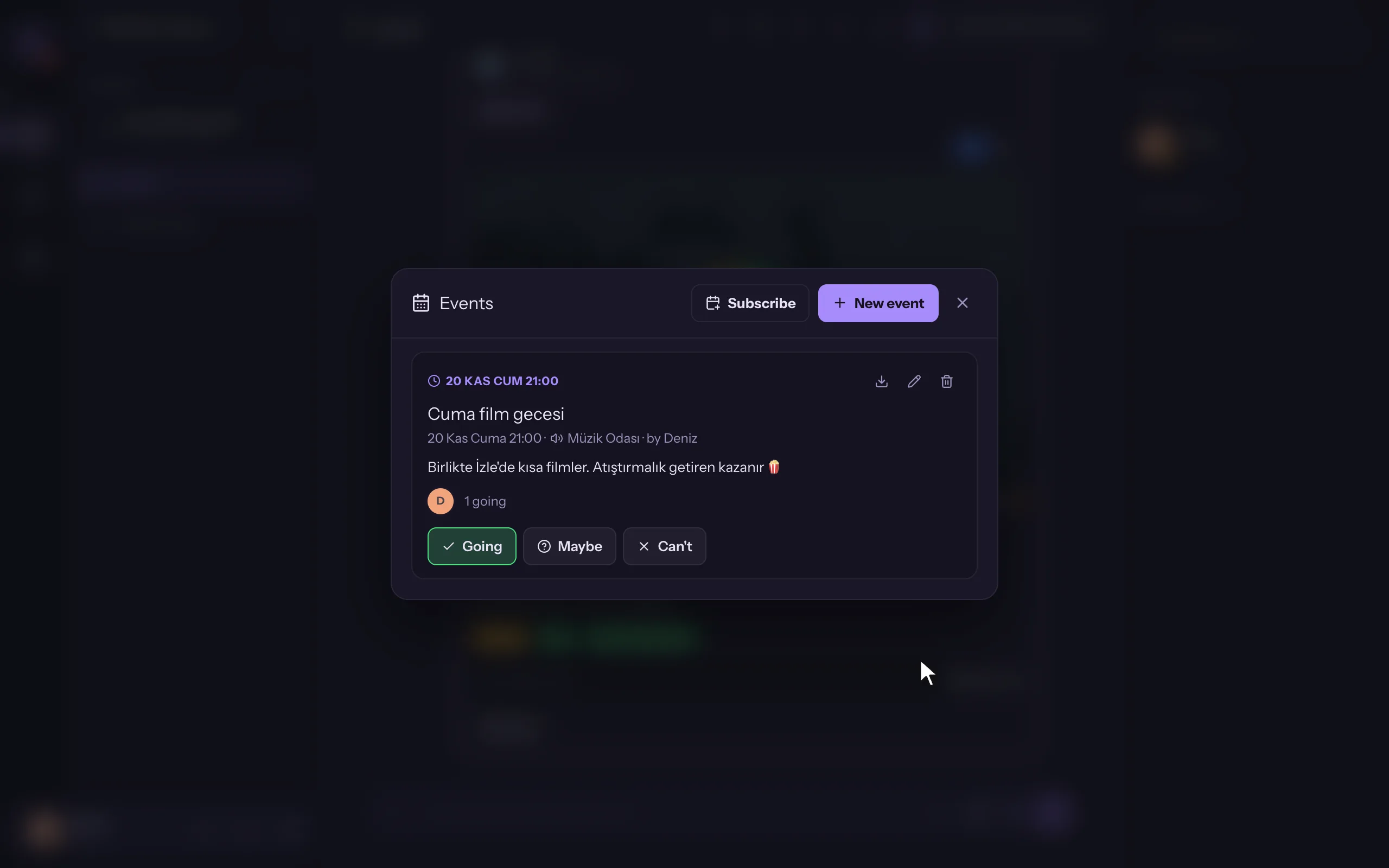
On the event card, members choose Going, Maybe, or Can't go, and attendees are listed right on the card. Upcoming events appear at the top of the channel list with their date. The download button on a card adds it to your calendar (.ics), and Subscribe subscribes your calendar app to all events in the server. Edit with the pencil or delete with the trash icon.