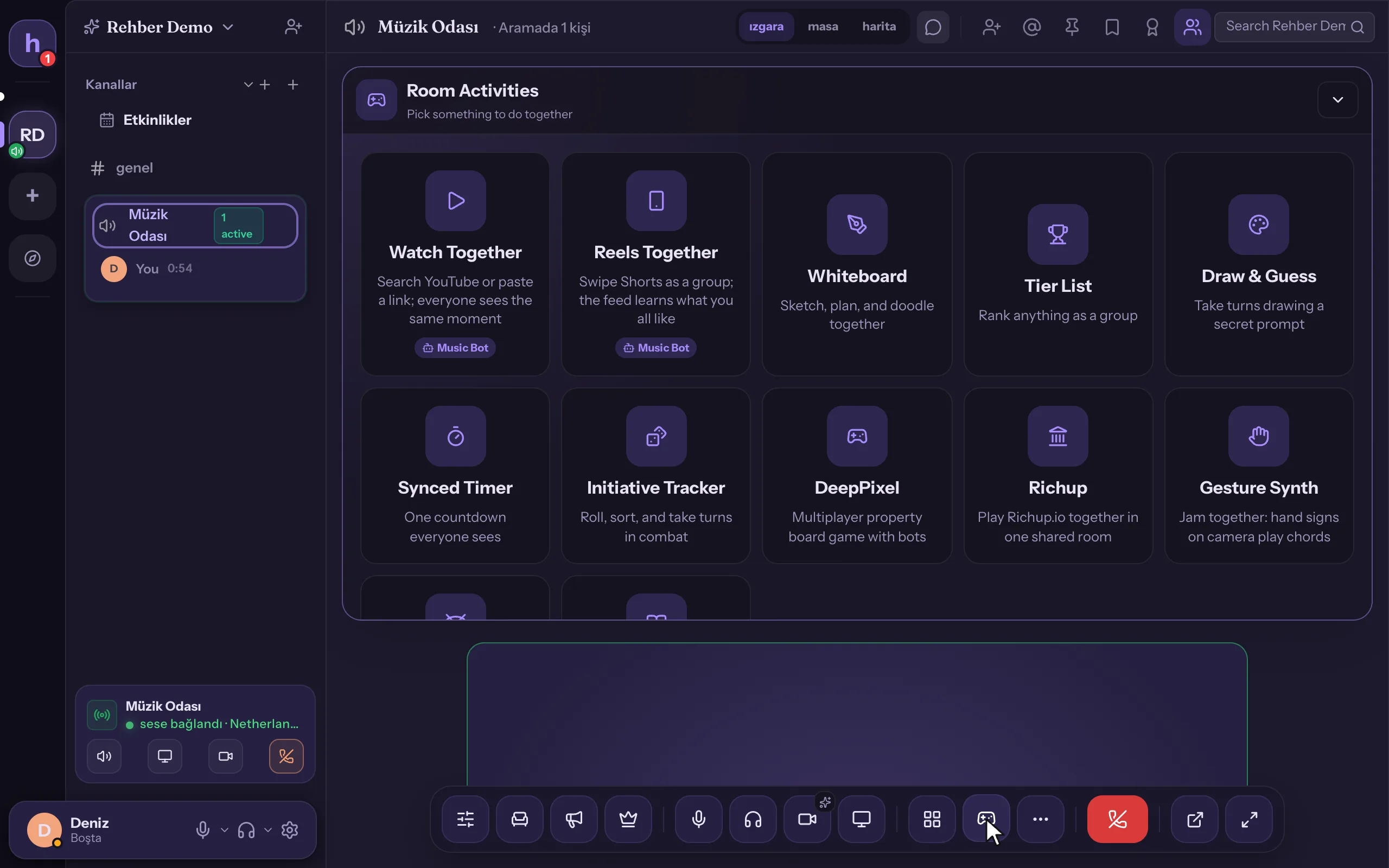
What is Watch Together?
Watch Together lets everyone in a voice room watch the same video at the exact same time. When someone pauses, it pauses for everyone; when someone seeks, everyone jumps there—all while you keep talking in the room. It plays YouTube videos and other direct video links.
Watch Together runs through the music bot. If your server doesn't have Hoffle Music yet, add it first—see Music Bot & DJ Mode.
Starting a video
- Join a voice room.
- Click the gamepad icon (Activities) in the bottom bar and pick Watch Together.
- Paste a link into Search or paste a link… and press Enter. Links start playing right away without searching (or queue up if something is already playing).
- If you don't have a link, type what you want to watch, press Enter, and click Play next to a result.
The video starts playing for everyone in a few seconds. Because the bot downloads the video to the server first, longer videos can take up to a minute to start.
Shortcut: type /watch followed by a link or search terms in any text channel: /watch https://www.youtube.com/watch?v=…. Giving a link adds it to the queue.
Player and queue
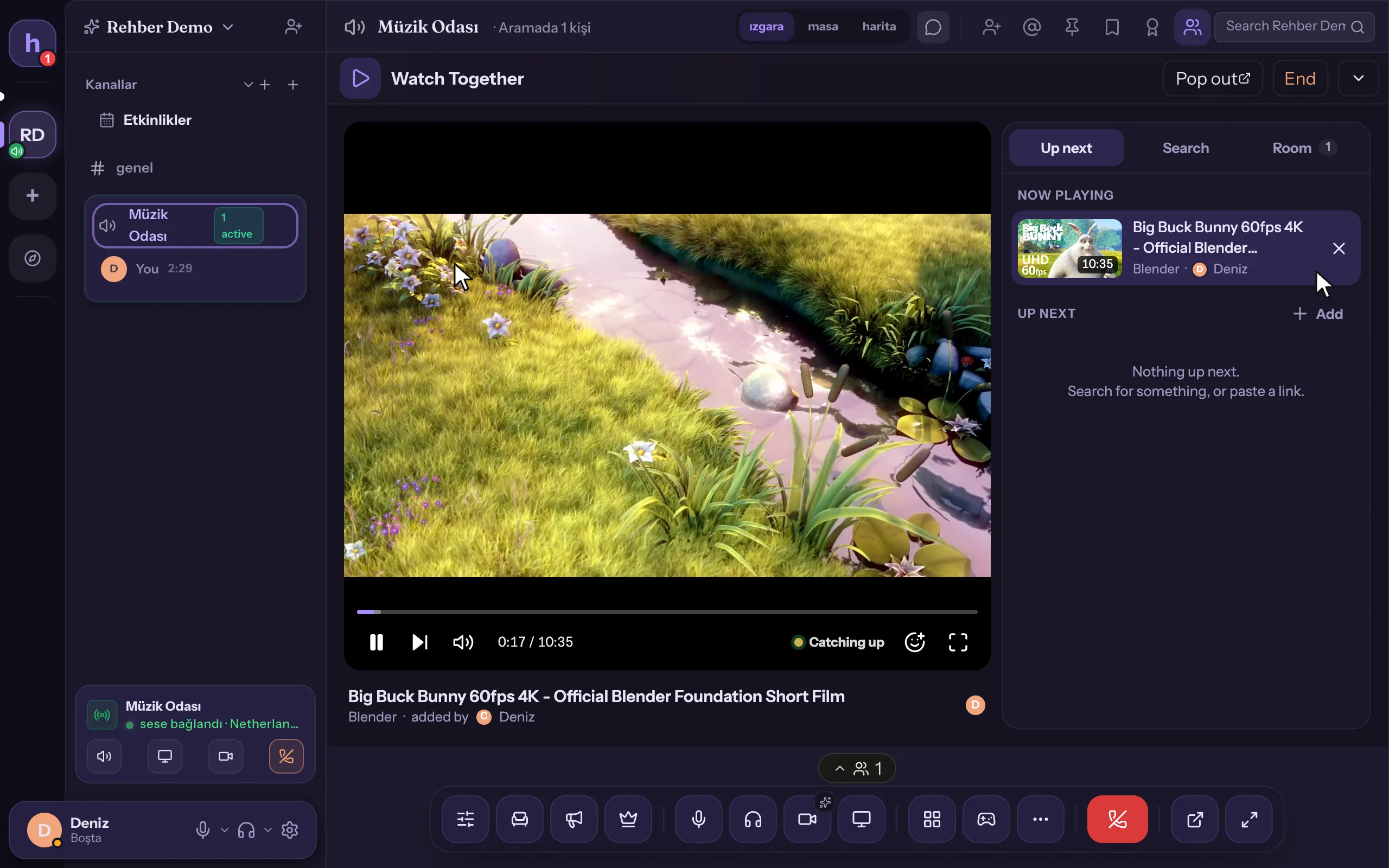
- The bar below the player has play/pause, next video, volume, the timeline, and fullscreen. Pausing and seeking affect everyone in the room.
- If your connection is slow, the video may briefly fall behind. The bar shows Catching up while it automatically syncs back up.
- On the right panel there are three tabs:
- Up next: Currently playing and queued videos. Click Add to queue another video or × to remove one.
- Search: Search YouTube; Play plays immediately. Pasting a link into the search box queues it directly.
- Room: Who is watching in the room.
For slower connections, you can append a quality to /watch: original, 8 (8 Mbps), or 4 (4 Mbps). Example: /watch <link> 4.
Popping out and ending
In the top right of the Watch Together panel:
- Pop out: Opens the video in a floating window so you can keep watching while browsing other channels.
- Arrow (⌄): Minimizes the panel back to the voice room view while the video keeps playing.
- End: Ends the watch session for everyone.
If you click Watch together inside the 3D Living Room, the same video plays on the living room TV or the cinema screen.
Reels Together
Reels Together lets your group swipe through short vertical videos (YouTube Shorts) together. Everyone sees the same clip at the same time, and swiping moves the whole group to the next one. Over time, the feed learns what the room likes.
- In a voice room, choose Activities → Reels Together, or type
/reelsin a text channel. - Optionally add a topic:
/reels cats cooking. - Swipe or use the arrows to move to the next video.
Reels Together also uses the music bot.