Enabling D&D tools
Hoffle has dice, a battle map, an initiative tracker, and a spell & monster compendium for D&D and similar tabletop games. These are powered by D&D Bot:
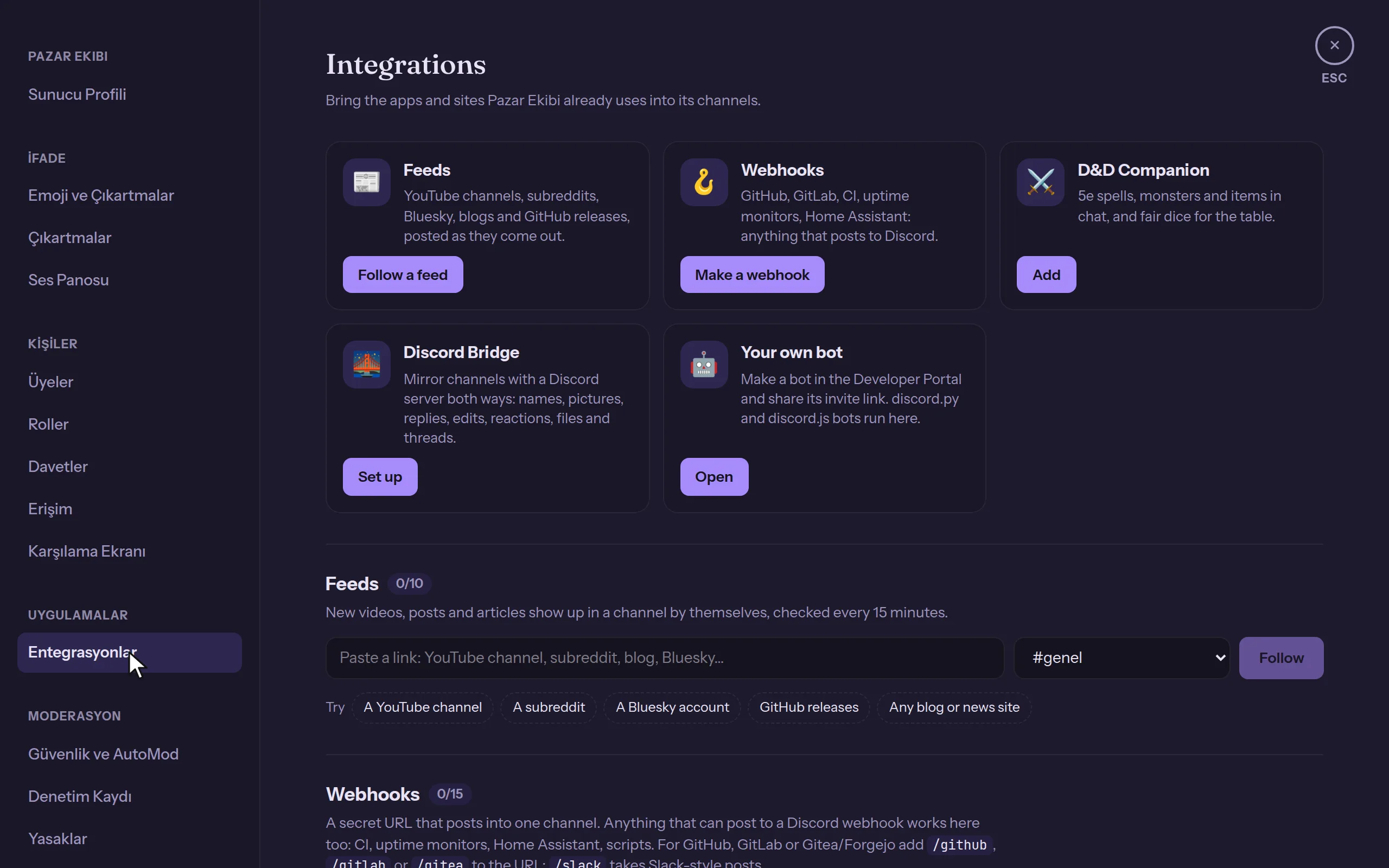
- Open Server Settings → Integrations.
- Click Add on the D&D Companion card.
If you don't want D&D tools in a server at all, turn off the D&D & Tabletop module under Server Settings → Access; its commands and buttons will be hidden.
Character sheets, the battle map, the world map, and the AI DM assistant live in Tavern, the D&D bot's web app—covered in its own chapter: D&D Companion (Tavern).
Rolling dice
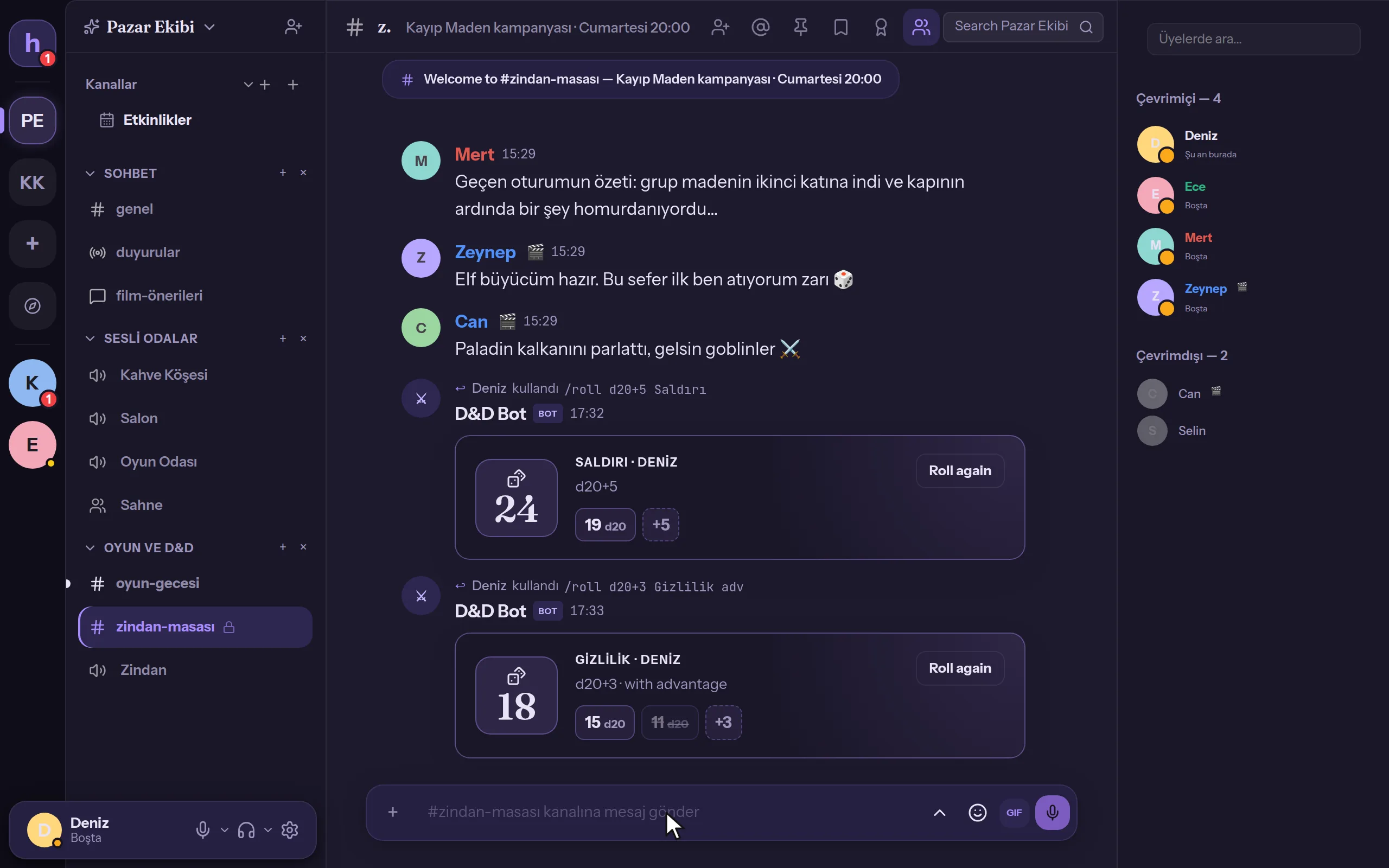
Type /roll and a dice expression in any channel:
| What you type | What happens |
|---|---|
/roll d20 | Rolls one twenty-sided die. |
/roll d20+5 Attack | Rolls d20, adds 5, and labels the result "Attack". |
/roll 2d6+3 sword | Rolls two six-sided dice and adds 3. |
/roll d20+3 Stealth adv | Advantage: rolls two d20s and keeps the higher one. |
/roll d20 dis | Disadvantage: rolls two d20s and keeps the lower one. |
/roll 2d6+3 sword crit | Critical hit: doubles the damage dice (flat bonuses aren't doubled). |
The dice roll in 3D on everyone's screen in the channel, and the result posts as a card. The Roll again button on the card repeats the same roll.
Secret rolls: /gmroll d20+4 perception shows the result only to you—ideal for the Dungeon Master.
Vampire: The Masquerade (V5): /v 7 h2 d3 Strength + Brawl rolls a 7-dice pool with 2 Hunger dice at difficulty 3; /gmv rolls the same privately; /rouse h2 makes a Rouse check. To switch the server's game system to Vampire V5, see Tabletop settings below.
Customizing your 3D dice
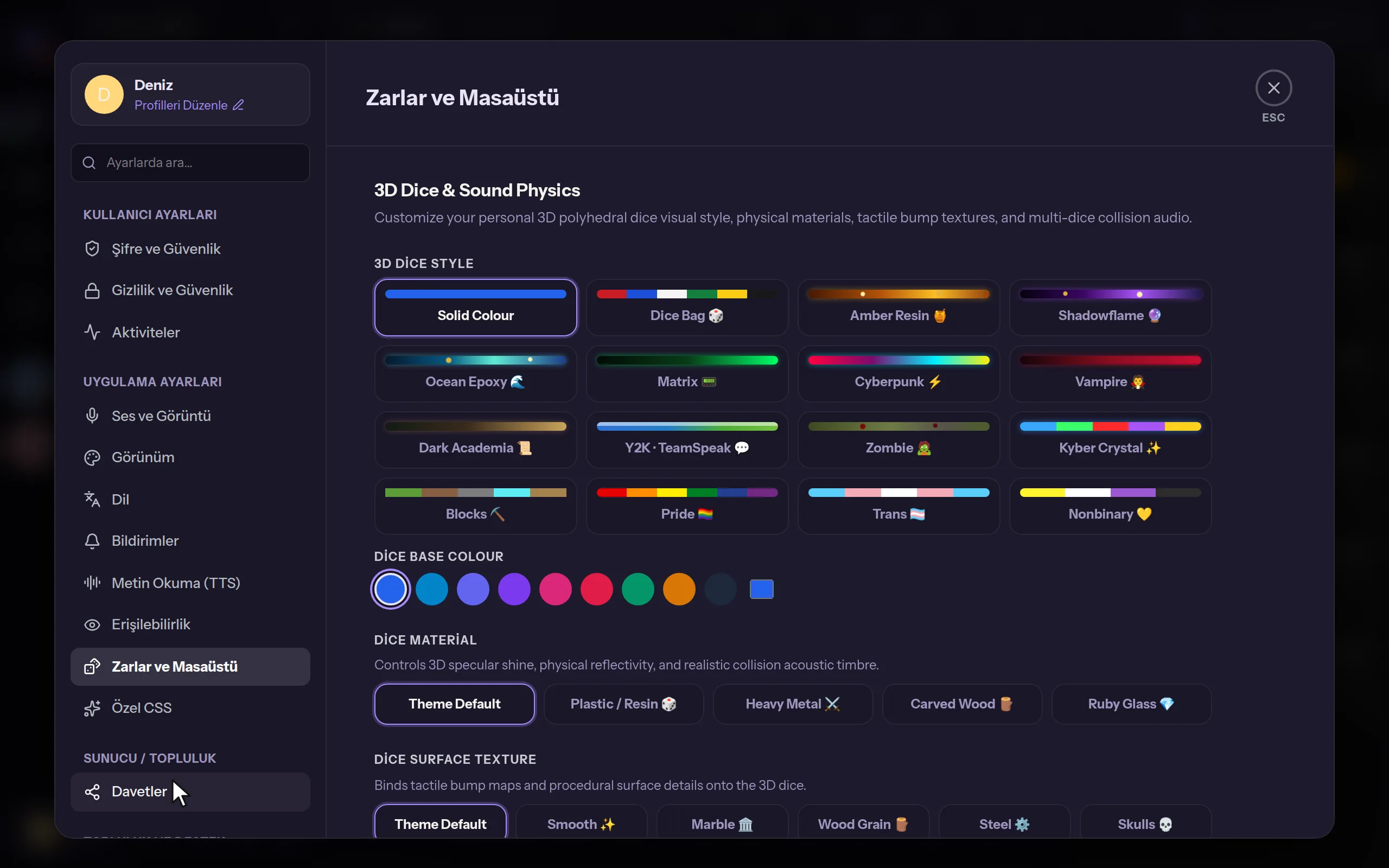
In Settings → Dice & Tabletop, you can customize how your dice look:
- 3D Dice Style: Preset dice sets (Dice Bag, Amber Resin, Shadowflame, Ocean Epoxy, Matrix, Vampire…).
- Dice Base Colour: The color of your dice.
- Dice Material: Plastic, heavy metal, carved wood, or ruby glass. Material changes both the look and the sound the dice make.
- Dice Surface Texture: Marble, wood grain, dragon scale, ice, stars, and more.
- Critical rolls: Natural 1s and natural 20s trigger a material-specific effect (glass shatters, wood blooms, etc.). You can preview them with the buttons here.
Spell, monster, and item compendium
To look up D&D 5e rules:
| Command | Example |
|---|---|
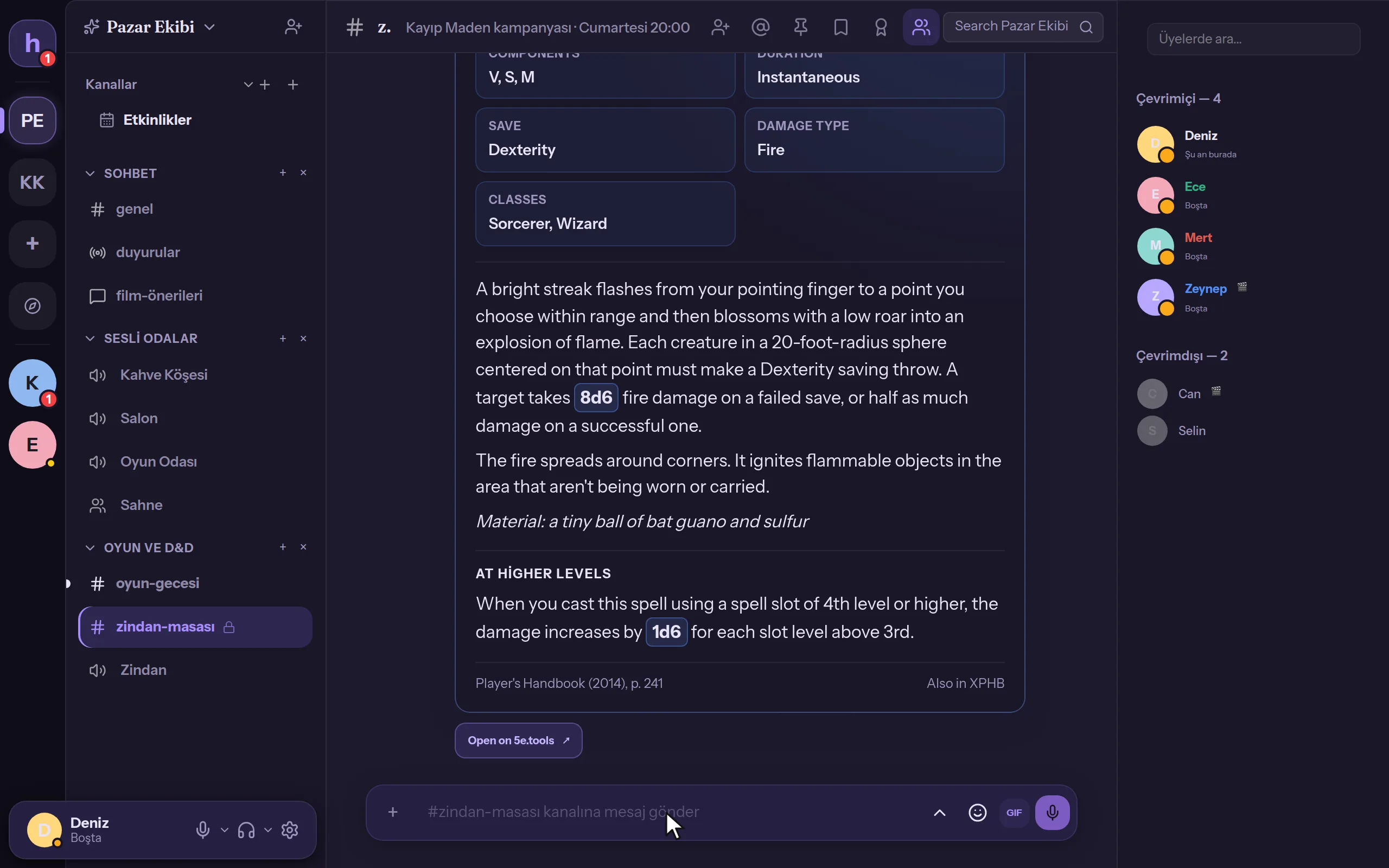
/spell | /spell fireball |
/monster | /monster goblin |
/item | /item longsword |
/feat | /feat alert |
/race | /race half-orc |
/class | /class paladin |
/subclass | /subclass oath of vengeance |
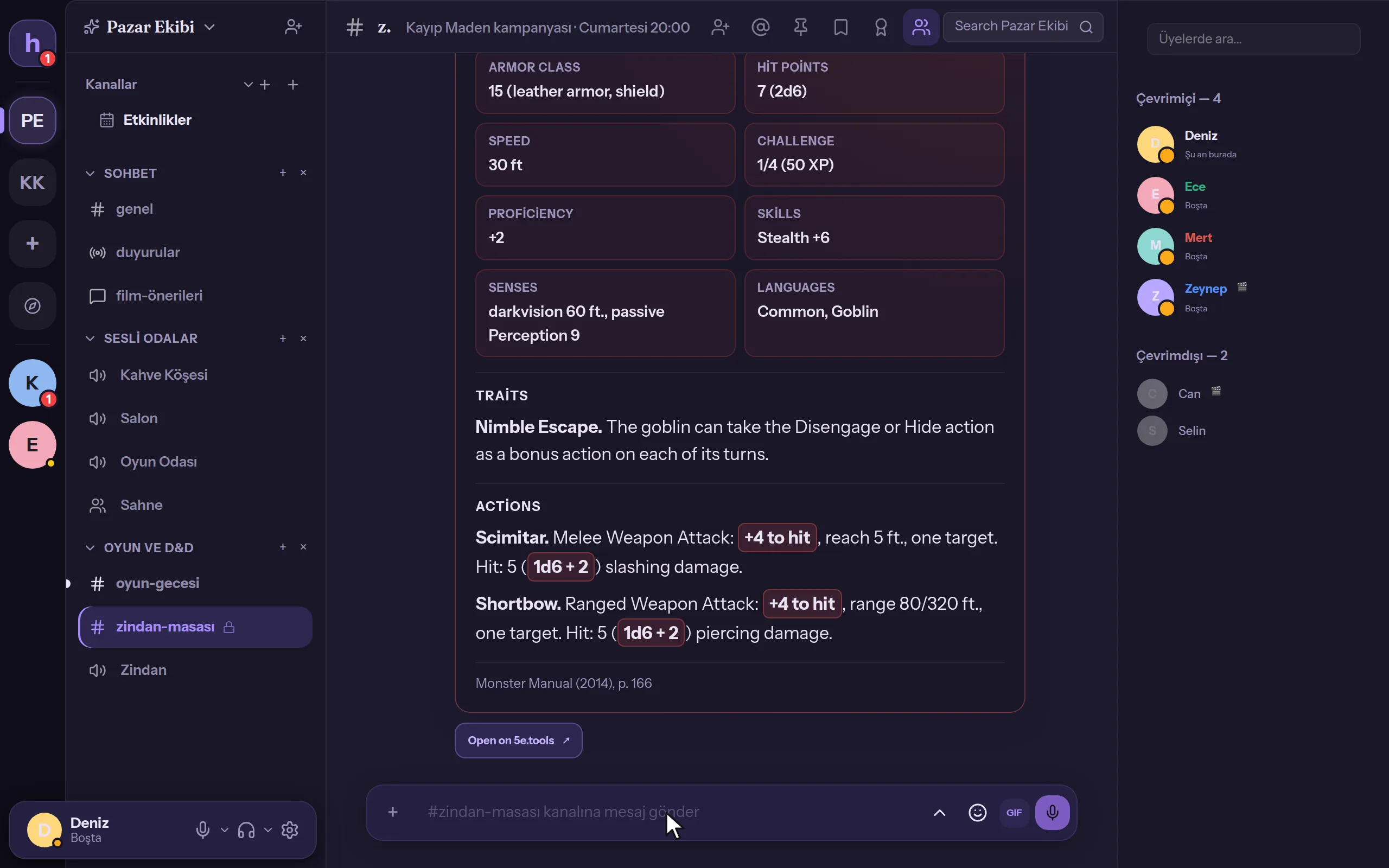
The result posts as a card in chat: spell level, range, duration, damage, and description; or a monster's armor class, hit points, speed, abilities, and attacks. Add 2024 at the end for 2024 rules (/spell fireball 2024).
Battle map
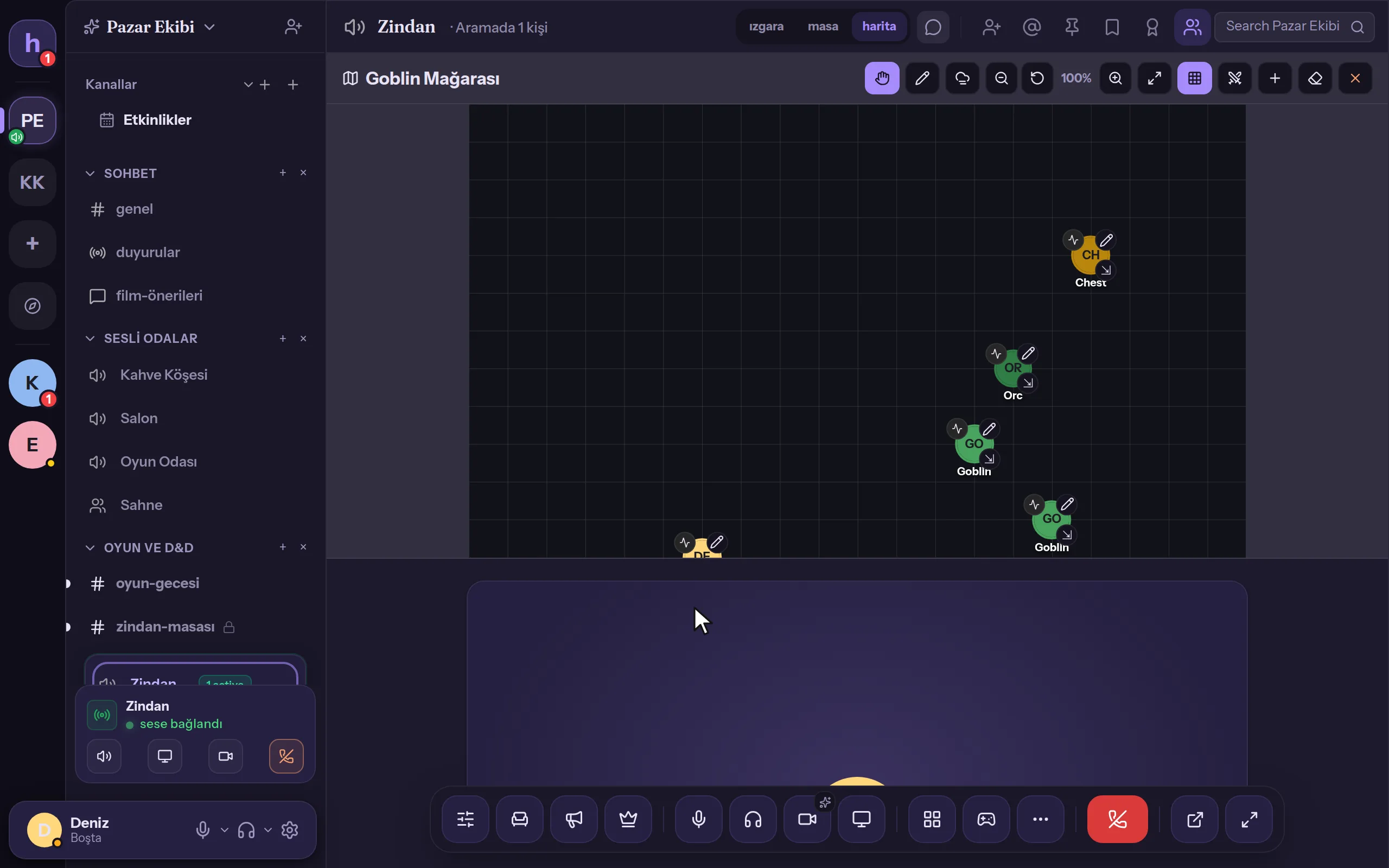
The battle map opens inside a voice room and everyone in the room sees the same map.
- Join a voice room for your session (for example Dungeon).
- Click map in the room's top bar.
- Give the map a name and click Next.
- Choose a background: Blank Grid or Upload Image (your own map image).
Once the map opens, a toolbar appears at the top:
- Move tokens (hand): Drag tokens around.
- Paint (pen): Draw walls, paths, or markers on the map.
- Fog of war (cloud): Drag to cover an area in fog. Players cannot see under the fog.
- Zoom buttons, Fit to screen, and Expand map size.
- Grid snap: Toggle snapping tokens to the square (or hex) grid.
- Initiative & Encounter Tracker: Turn order tracker (below).
- Put my character on the map: Places your own character token.
- Add a monster or fixture: Adds monsters like goblins, orcs, skeletons, or dragons, or fixtures like chests, doors, and torches. Each new token lands on the nearest empty square near the center so tokens don't stack. Press Esc or click outside to close the palette.
- Clear paint: Erases drawings.
- Close the map for everyone (×): Closes the map for the whole room.
Initiative tracker
The Initiative & Encounter Tracker button on the map gathers every player and monster on the map into one list:
- Roll rolls initiative for one row; Roll All d20 rolls for everyone at once.
- Start combat begins combat; Next Turn advances to the next creature. The current round is shown at the top.
- Each row tracks hit points (HP); use – and + for damage and healing. + Cond adds conditions like poisoned or stunned.
If you set combat music in server settings, the room's music switches to it when combat starts and switches back when combat ends.
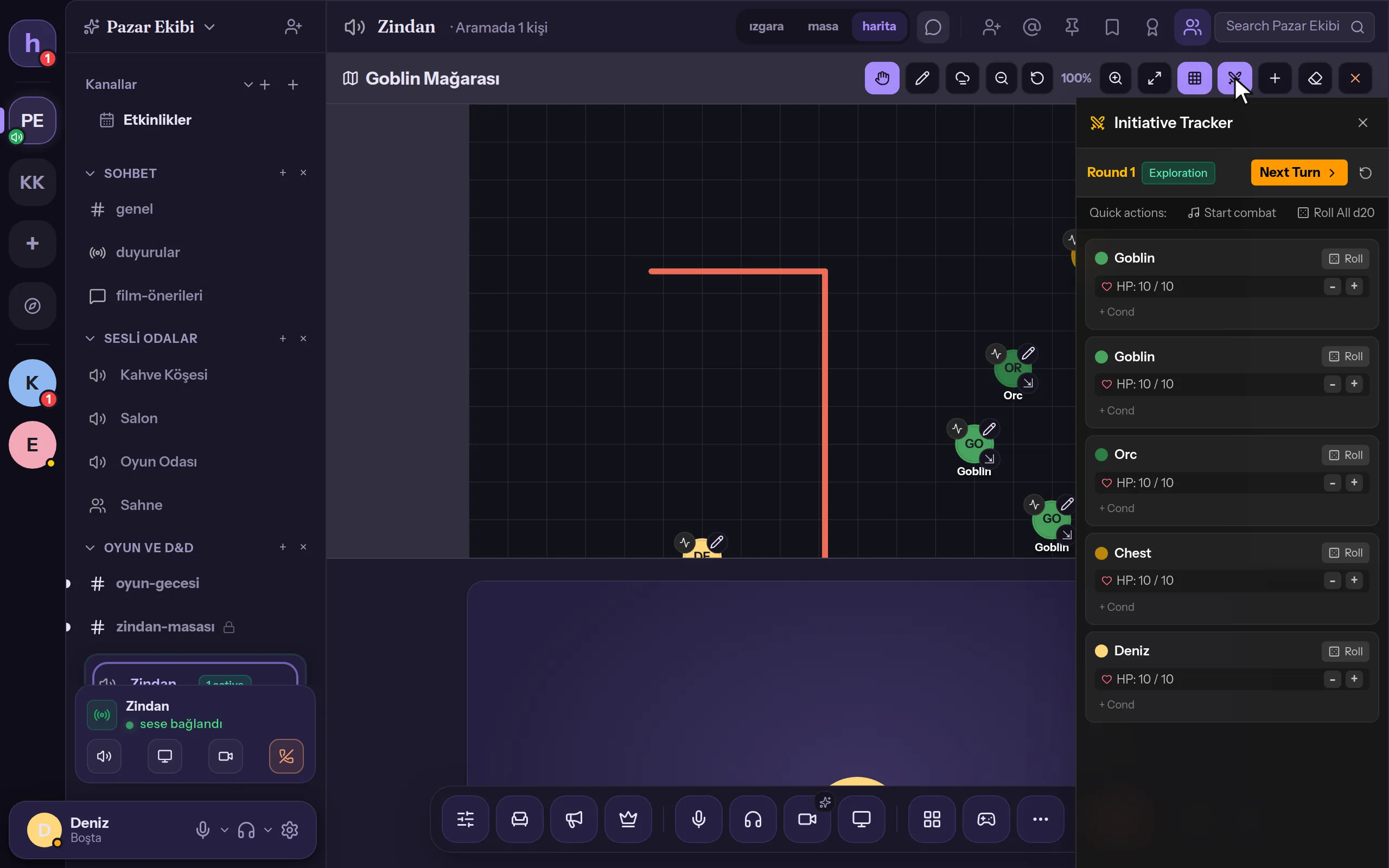
Table seating and DM seat
In the room's table view, everyone sits around a round table. Click Table on the far left of the bottom bar and pick the person running the game under Dungeon Master—the DM sits directly across from you. With spatial audio on, everyone's voice comes from their seat at the table, so you can tell who is speaking even with your eyes closed. Details in Voice Chat.
Tabletop settings
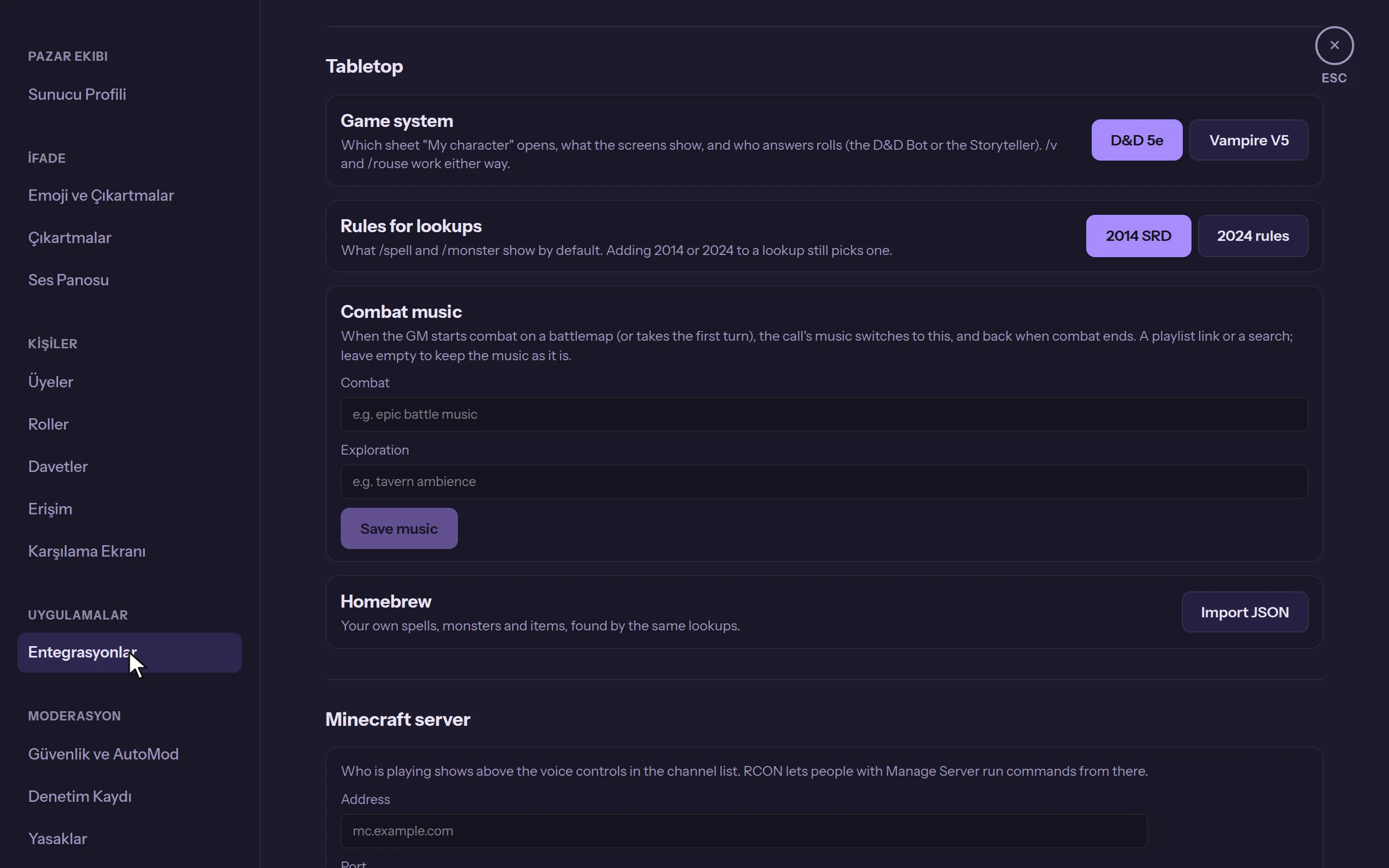
In the Tabletop section at the bottom of Server Settings → Integrations:
- Game system: D&D 5e or Vampire V5. Controls which character sheet opens from "My Character" and how dice commands behave.
- Ruleset for lookups: Whether
/spelland/monsterdefault to 2014 SRD or 2024 rules. - Combat music (Combat / Explore): Music to play when combat starts and ends (a playlist link or search terms). Click Save music to save.
- Homebrew: Use Import JSON to add your own spells, monsters, and items; they're searchable with the same commands.
Session recording
Anyone with the Record D&D Sessions permission can start recording a D&D session in a voice room. Recording only starts with everyone's consent in the room, and an indicator clearly shows everyone that recording is active. We recommend granting this permission only to the person running the game.