Adding the music bot to your server
Hoffle's music bot, Hoffle Music, joins your voice room and plays music everyone hears in sync. To add it to your server:
- Open the bot invite link. You can find it in the Hoffle community or ask your server admin; it looks like
chat.hoffle.online/hangout/oauth2/authorize?client_id=…&scope=bot. - Pick the server you want to add it to from Add to server (only servers where you're an admin are listed).
- Review the permissions and click Authorize.
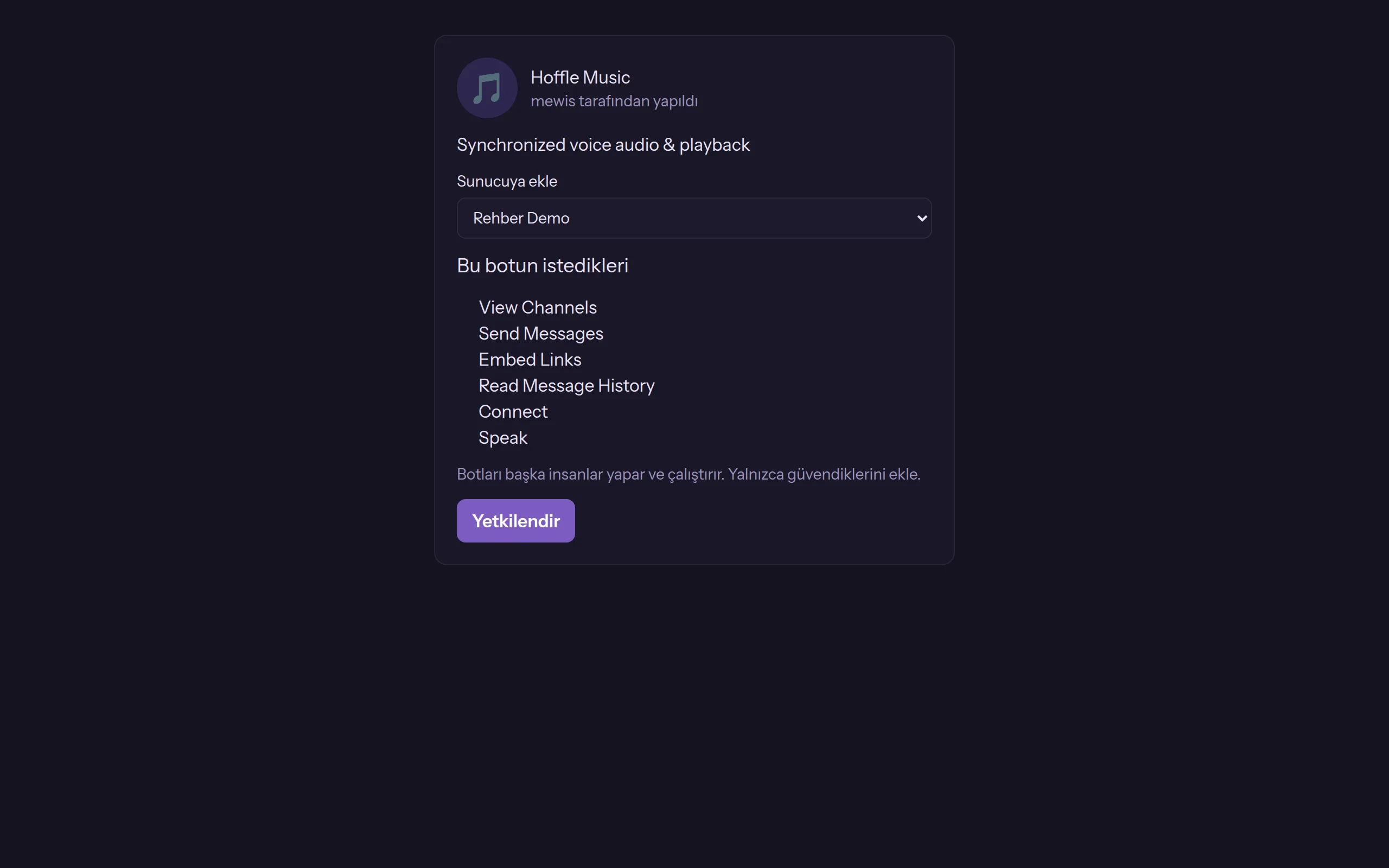
Once added, the bot appears in chat as Music + Watch. Watch Together and Reels Together also run on this bot.
Playing a song
- Join a voice room.
- In any text channel, type
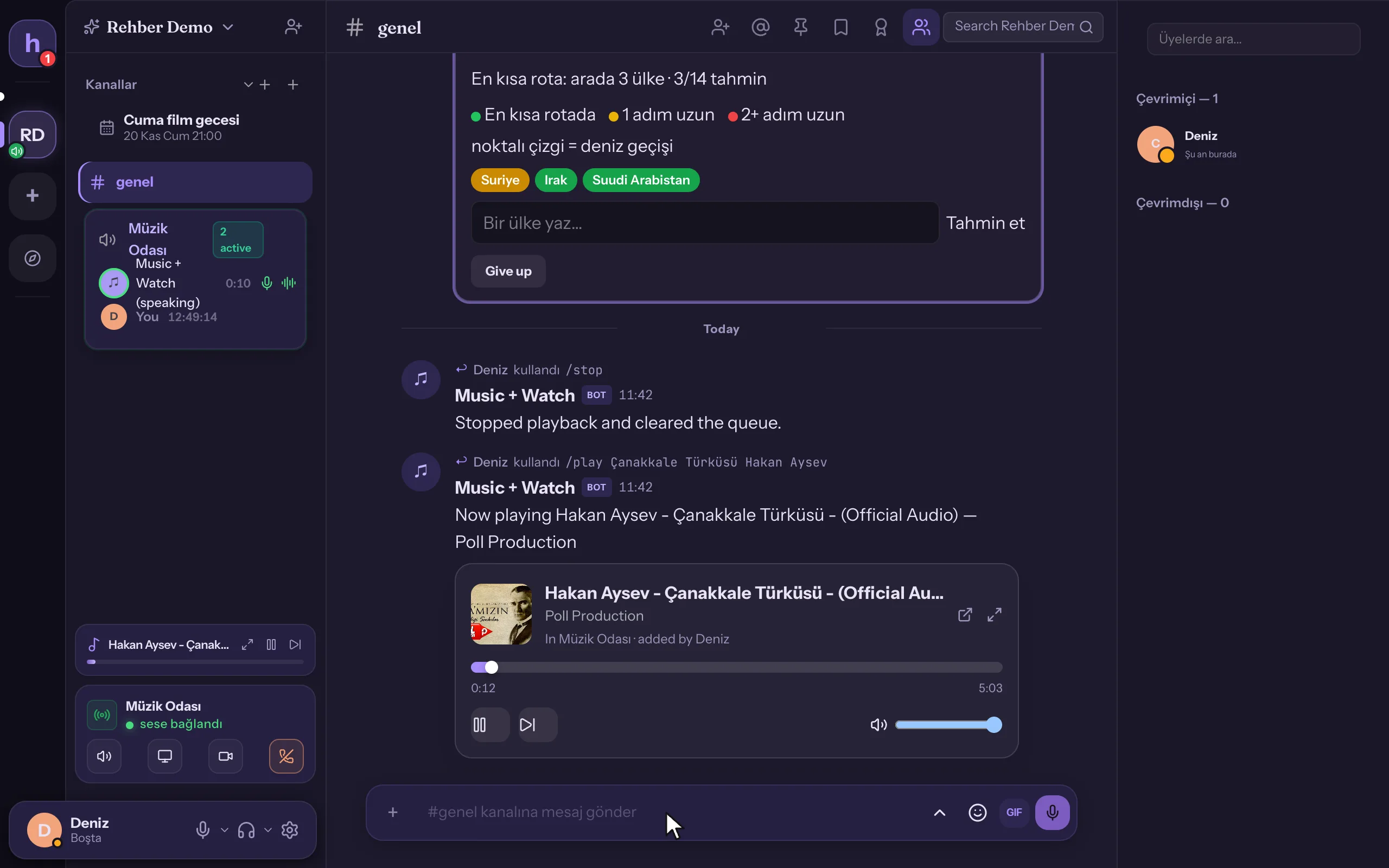
/playfollowed by a song name or a YouTube or Spotify link:/play Bohemian Rhapsody. - Press Enter. The bot joins the room and starts playing; a player card appears in chat.
Running /play while something is already playing adds the song to the queue. To put it next in line, use /playnext.
Type
/playin a text channel's message box. Commands typed in the small side chat inside a voice room currently send as plain messages.
A compact mini-player appears in the channel list above the voice connection box: song title, progress bar, pause, and skip buttons. The expand arrows open the full-screen player.
Full-screen player
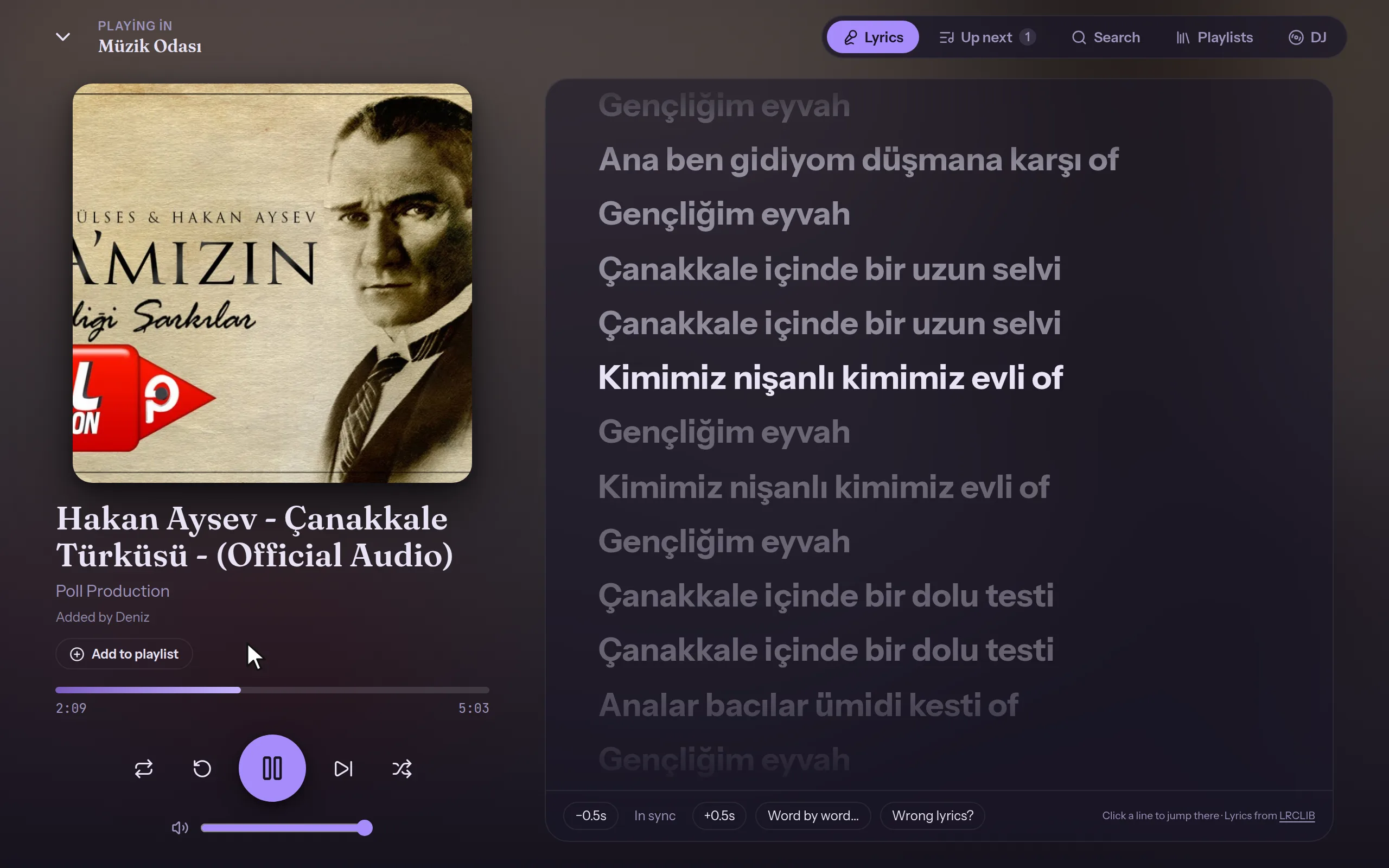
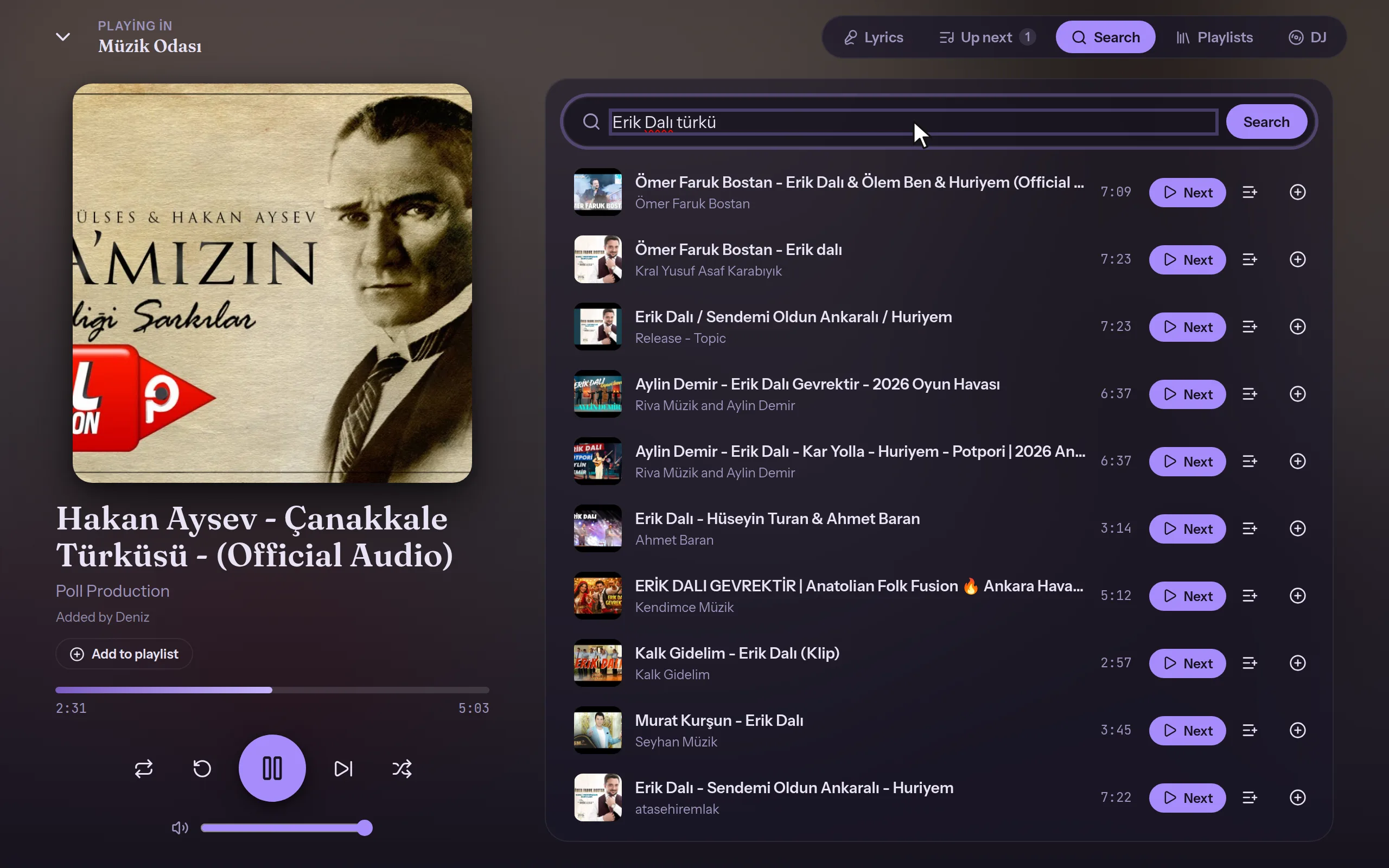
Click the expand arrows on the player card or mini-player (or type /player). On the left are the album art, title, progress bar, and controls: loop, restart, pause, next track, and shuffle. Add to playlist saves the track to a playlist. On the right are five tabs:
- Lyrics: Lyrics scroll in sync with the music, highlighting the current line. Click any line to jump there. −0.5s and +0.5s nudge lyrics earlier or later. Word by word fills lyrics in word-by-word. If the wrong lyrics loaded, click Wrong lyrics? to pick the right match.
- Up next: Queued tracks. Click × to remove one.
- Search: Search for songs; Next puts a result at the front of the queue, the queue icon adds it to the end, and + adds it to a playlist.
- Playlists: Your server's playlists. New playlist creates one. Anyone can create a playlist; adding tracks requires being the playlist's creator or an admin.
- DJ: Start a DJ set and configure transitions (below).
DJ mode
In the player's DJ tab, the bot mixes the room's music like a DJ—beat-matching transitions, remixes, and drops.
- Pick a mode:
- Real DJ: Picks the tracks itself and mixes its own remixes.
- Auto DJ: Mixes the songs already in your queue with transitions between them.
- Pick a Vibe: Chill, Club, or Hype.
- Click Start Set. If the queue is short, the DJ adds fitting tracks on its own.
For hands-on control, Full DJ Deck opens the full booth: two decks, mixer, effects, key lock, and a mix editor. /dj opens the same booth.
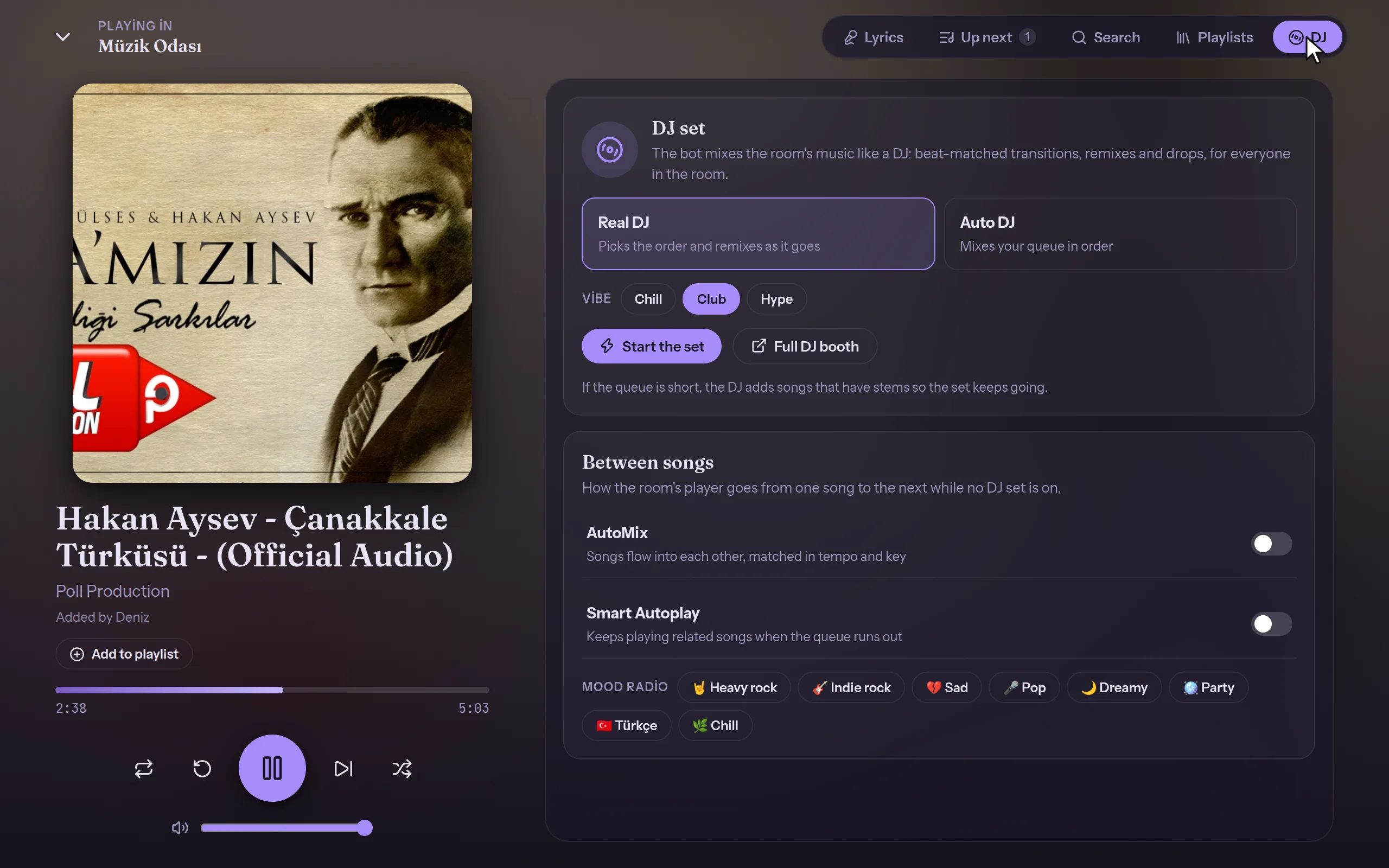
Under Between songs, two toggles work even when a DJ set isn't running:
- AutoMix: Smoothly blends songs together by tempo and key (
/automix on). - Smart Autoplay: Keeps playing similar tracks after the queue ends (
/autoplay on).
The Mood radio row (Heavy rock, Indie rock, Sad, Pop, Dreamy, Party, Türkçe, Chill) starts an endless station in that mood (/radio party).
Music commands
| Command | What it does |
|---|---|
/play <song or link> | Plays or queues a track. |
/playnext <song> | Adds to the front of the queue. |
/pause, /resume | Pauses or resumes playback. |
/skip, /skipto <number> | Skips to the next track or a specific position. |
/stop | Stops playback and clears the queue. |
/seek 1:30, /forward, /rewind, /replay | Jumps around in the track or restarts it. |
/loop off, /loop track, /loop queue | Repeats the track or the whole queue. |
/queue, /shuffle, /clear | Shows, shuffles, or clears the queue. |
/remove <num>, /move <from> <to>, /removedupes | Edits the queue. |
/nowplaying | Shows the current track card. |
/lyrics, /lyricsnow | Full lyrics; /lyricsnow shows only the current line. |
/grab | Sends the current track to you as a DM. |
/like, /dislike | Teaches the bot your taste; disliked songs won't autoplay. |
/history, /stats, /wrapped | Room history, listening stats, and monthly recap. |
/volume <0-100> | Overall room volume (admins and moderators). |
/disconnect | Removes the bot from the room. |
/web | Opens the music web panel. |